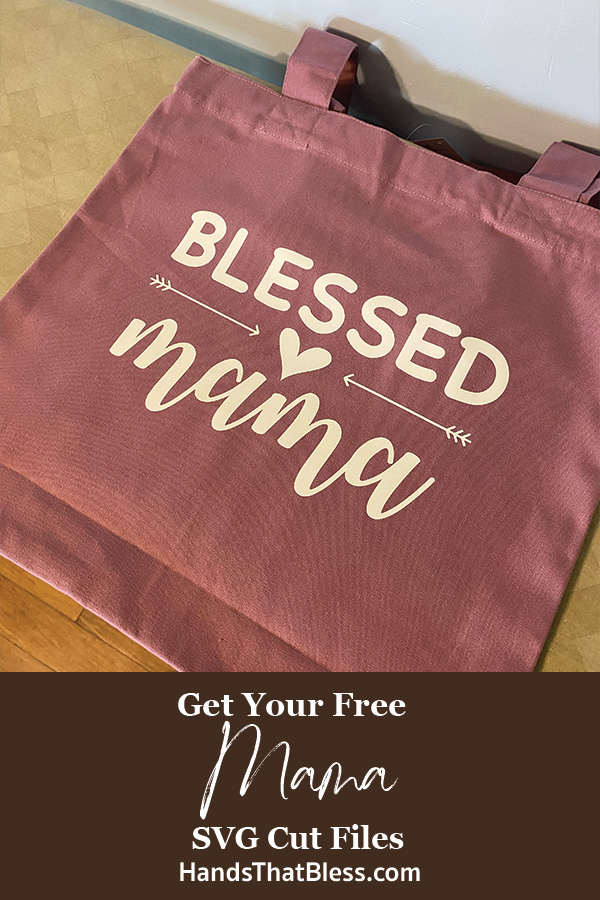
Mama SVG
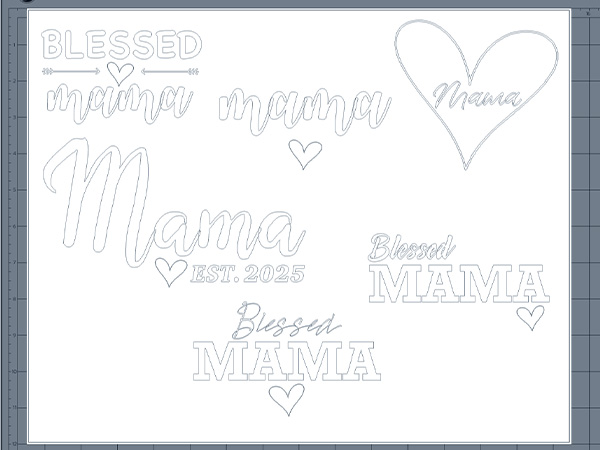
I am so excited to share these Mama SVG digital files with you! You can use these free cut files to make many different types of projects with your cutting machine. Plus this download includes several different digital design options to choose from. You will find the perfect mama design that is the right fit for your project.
Mama SVG Files Free Download
These mama designs great for both a silhouette cameo or cricket cutting machine. The digital files are a free item that you can download and then use on the cutting machine’s software to customize them and adjust them to your desired size for various types of projects.
What’s Included in the Download
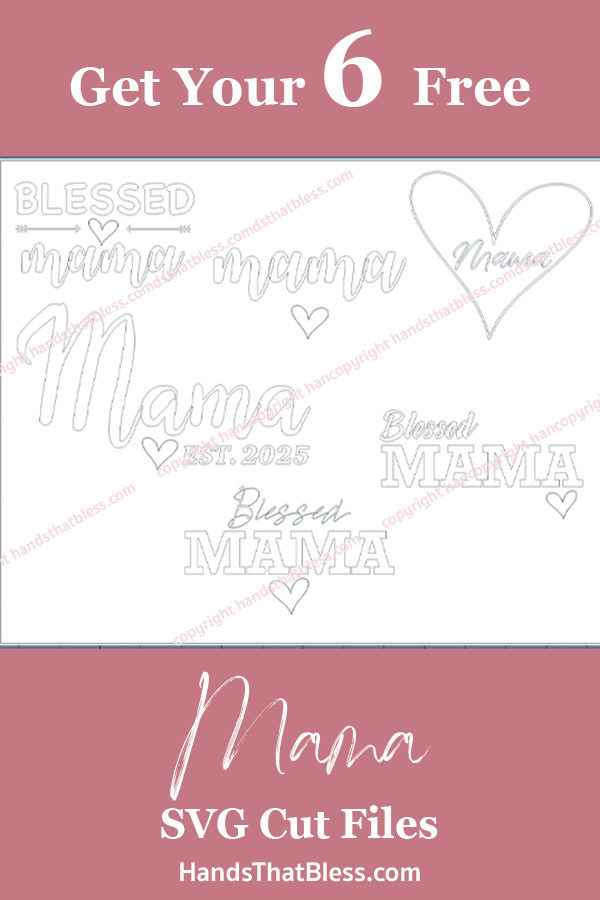
These designs are available in a free digital download below. You will receive them in a zipped file with SVG and PNG file types. The different images included are seen below. Please note that these digital downloads are intended for your personal use only, and should not be sold as your own. However, you may sell the physical items made with these designs if desired.
How to Access the File
In the section below you can download these images. To do this please enter your email address into the box below, then check your email inbox for a message from me.
The email will have a zipped file attached to it, save this file to your device.
Unzip the file and save the images in a location where you can easily find them later.
Import the file you want to work with into your cutting machine’s software. Adjust the size and customize the design as desired before sending it to cut.
Free “Mama” SVG Download
Tools You’ll Need
A cutting machine such as a Cricut or Silhouette Cameo
Design software – Cricut Design Space or Silhouette Studio depending on what cutting machine you use
Cutting Materials (vinyl, heat transfer vinyl, paper, wood, etc.)
Optional Items:
Heat press
Transfer tape
Weeding tools
Iron and ironing board
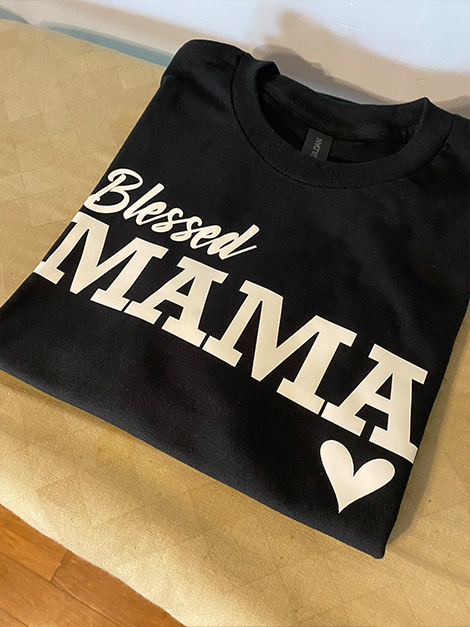
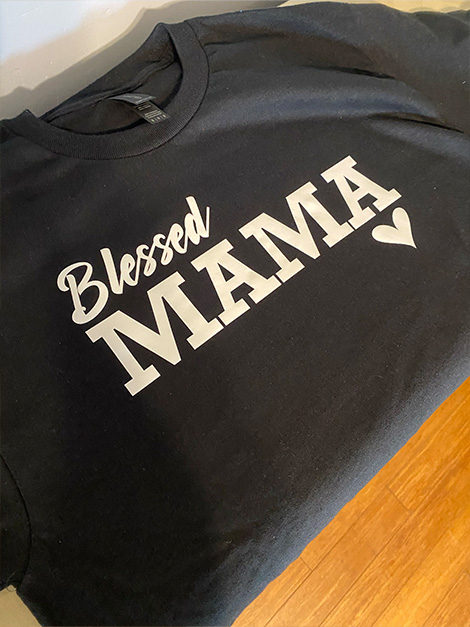
Step-by-Step Example: Making a Mama T-Shirt
Step 1: Upload SVG to Circuit Design Space or Silhouette Studio
Once your digital file is downloaded and saved to your device, select which file you want to use and then upload it to your design software. Depending on if you’re using cricut design space or silhouette studio, the process might be slightly different. Some programs allow you to simply drag and drop it into the software, but other types will require you to go to file – import.
Step 2: Resize and attach design.
When your design is imported into your design software, resize the design, as well as the cutting area if needed. In most software, you can simply change the size by dragging the design at the corners. Feel free to add any customizations to the design as well.
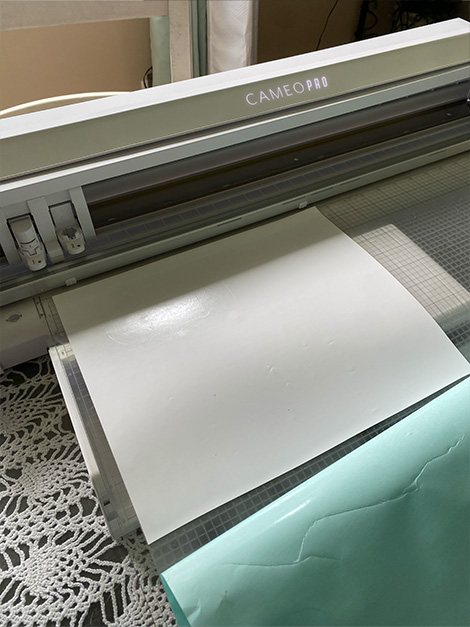
Step 3: Cut design using iron-on vinyl.
Depending on your software, you might need to flip the image so that the words appear as mirror images. This is especially important if you are cutting on vinyl.
Cut out the piece of vinyl in the size you need and attach it to your cutting mat.Once your design is ready, send it to the cutter.
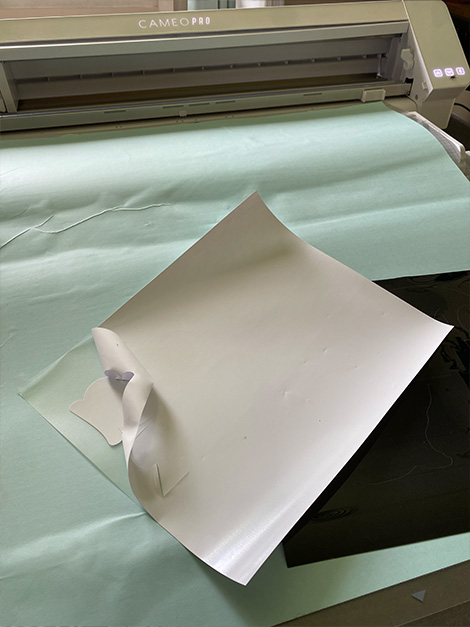
Step 4: Weed the design.
After your material has been cut with your design, remove it from the cutting mat and then use your waiting tools to remove the extra vinyl or other material.
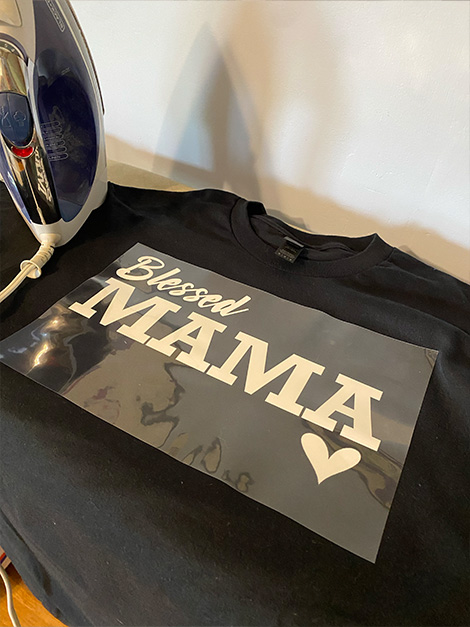
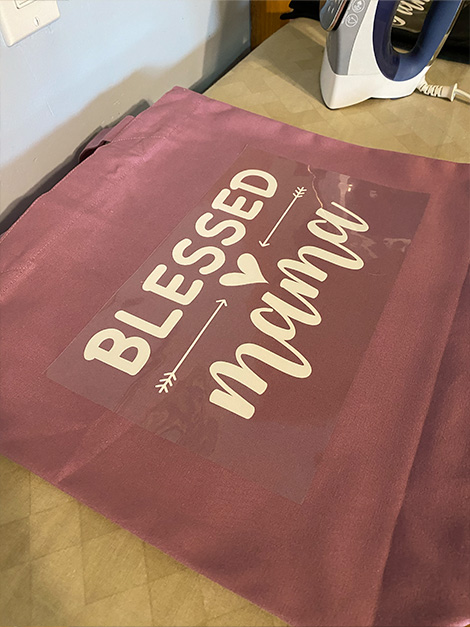
Step 5: Apply with a heat press or iron.
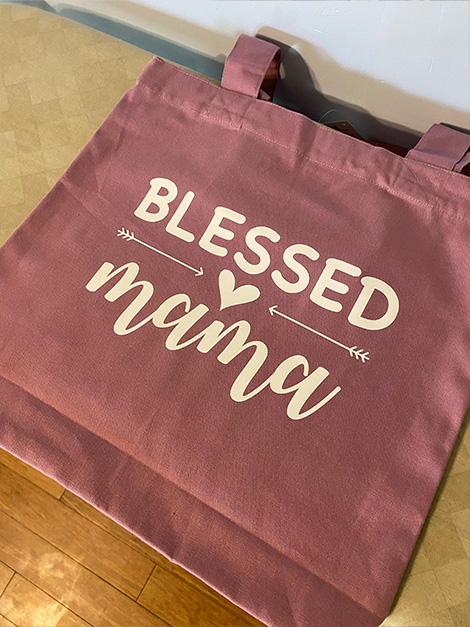
If you are using an iron on vinyl, align it onto your material, such as T-shirt, or tote bag. Then heat your iron or heat press and then iron the design thoroughly onto your items. Make sure that you have sufficiently heated the vinyl so that it is securely attached before you remove the remaining clear film.
Mama SVG Copyright
Please note that these digital files are intended for personal use only and should not be used for commercial use. By copyright, unless otherwise noted, you are not authorized to copy or claim my content as your own. You are, however, more than welcome to sell your finished products made with my digital design. I always appreciate it when you link to my post so that others can find them too!
Popular Project Ideas Using the Mama SVG
There are so many different things that you can make with this “Mama“ SVG file. Here are a few ideas of different projects or items you can attach these cut files onto.
T-shirts or baby onesies
Tote bags
Mugs or tumblers
Wall art or signs
Car decals
Tote bags
Mama SVG Tips and Tricks
Check if the design is cut properly.
Before you attach the cup file, it’s very important to make sure that it is cut out correctly. This way you don’t wreck your item, if the file did not cut as it should have. You can check the cut out design after it has been weeded, or hold it into the light so that you can see the cut out design.
Careful Weeding.
When you are weeding your cut file, it is really important that you take your time into a good job especially with a detailed cut. You don’t wanna accidentally remove something that should have stayed put.
Mama SVG Designs
There are so many different fun things you can make with these “Momma“ SVG cut files. These free SVG files are available for your personal use and make a great starting point for thoughtful gifts or T-shirts, or whatever you have in mind. There are many different ways they can be used. Use your creativity and get started making fun items with these free cut files.
Thank you so much for stopping by to check out my free “Mama“ SVG files. There are so many different fun items you can make with these cut files. It is my hope that you will be able to download them and use them to make fun things for the special mamas in your life.
Be sure to follow us online on your favorite social media platform!
More SVG Ideas:
PIN for Later!